
Make it your own
Make the widget feel like part of your website. Choose your brand color, welcome text, launcher appearance, and up to four suggested questions. Give visitors a clear starting point without making them search for the right page.
A small widget. A capable workspace.
AMP Spark Pro connects the questions your visitors ask with the information your team needs to turn interest into a real conversation.
Lead capture first
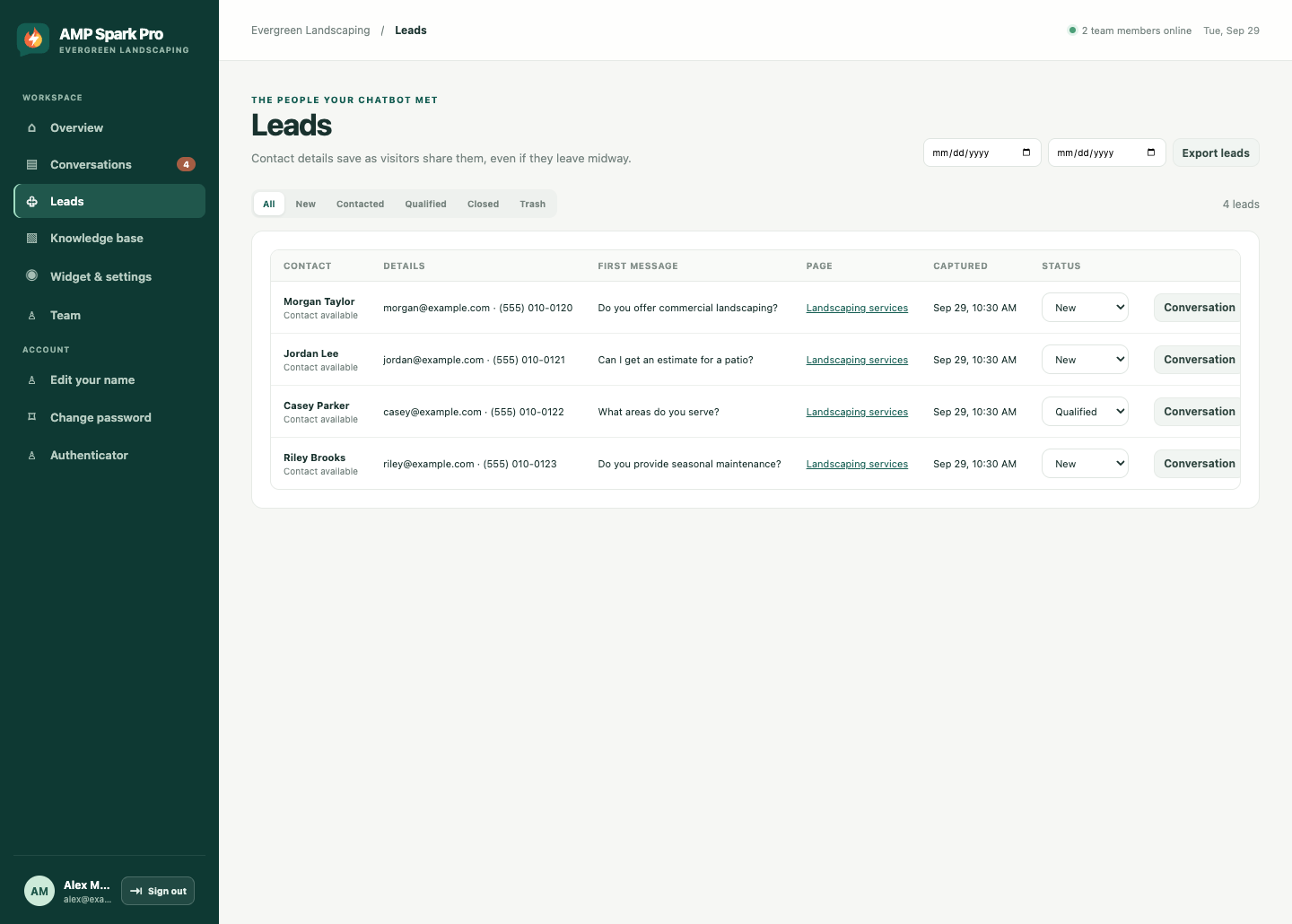
The first question starts with a name, email, and phone number. Those details stay with the conversation, so a visitor’s interest doesn’t disappear when they close the tab.
Approved business knowledge
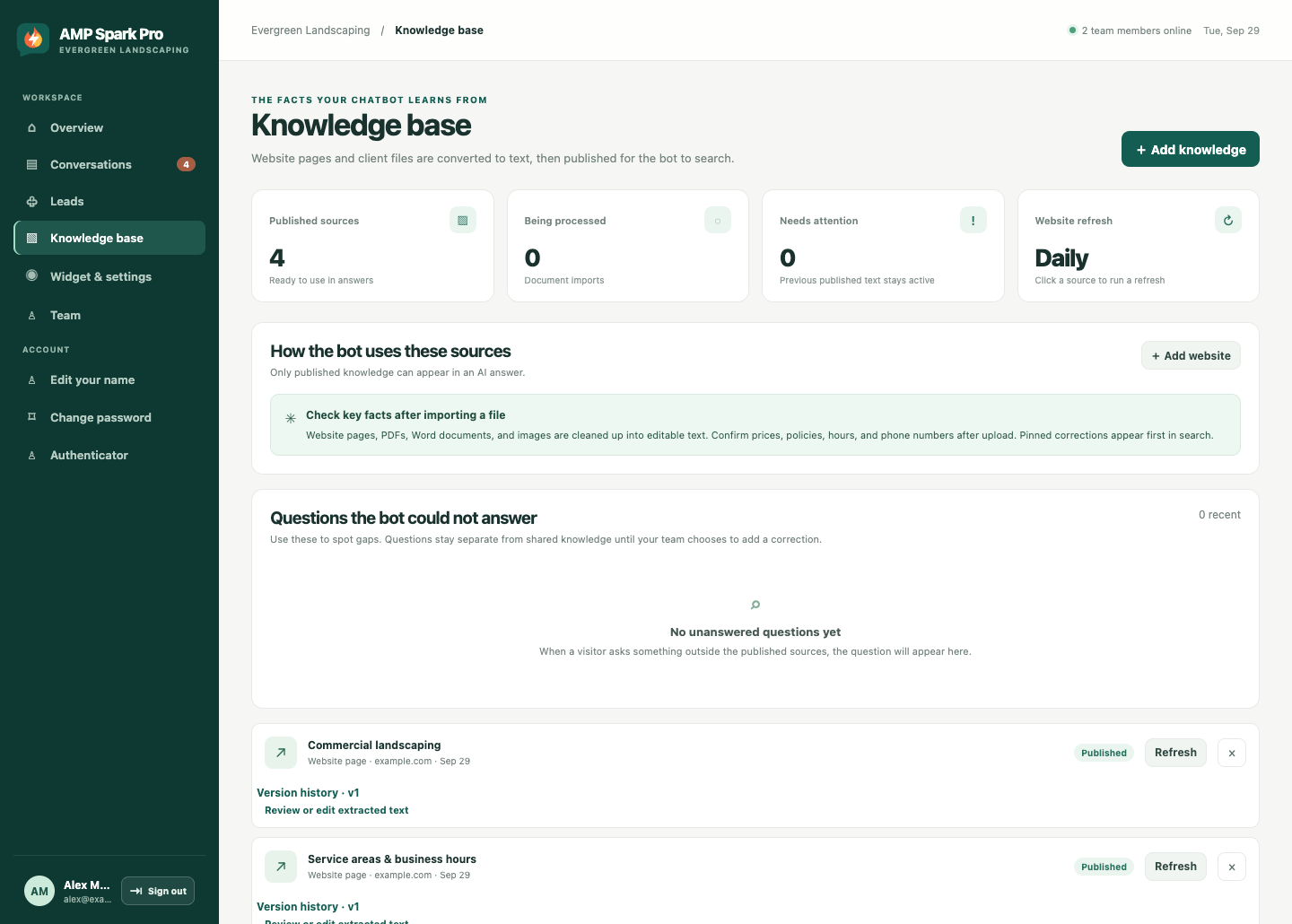
Your website pages, documents, and published notes become the chatbot’s knowledge. Review imported text, pin important corrections, and keep business details current. Answers use approved sources; questions outside the knowledge go to your team.
Team conversations
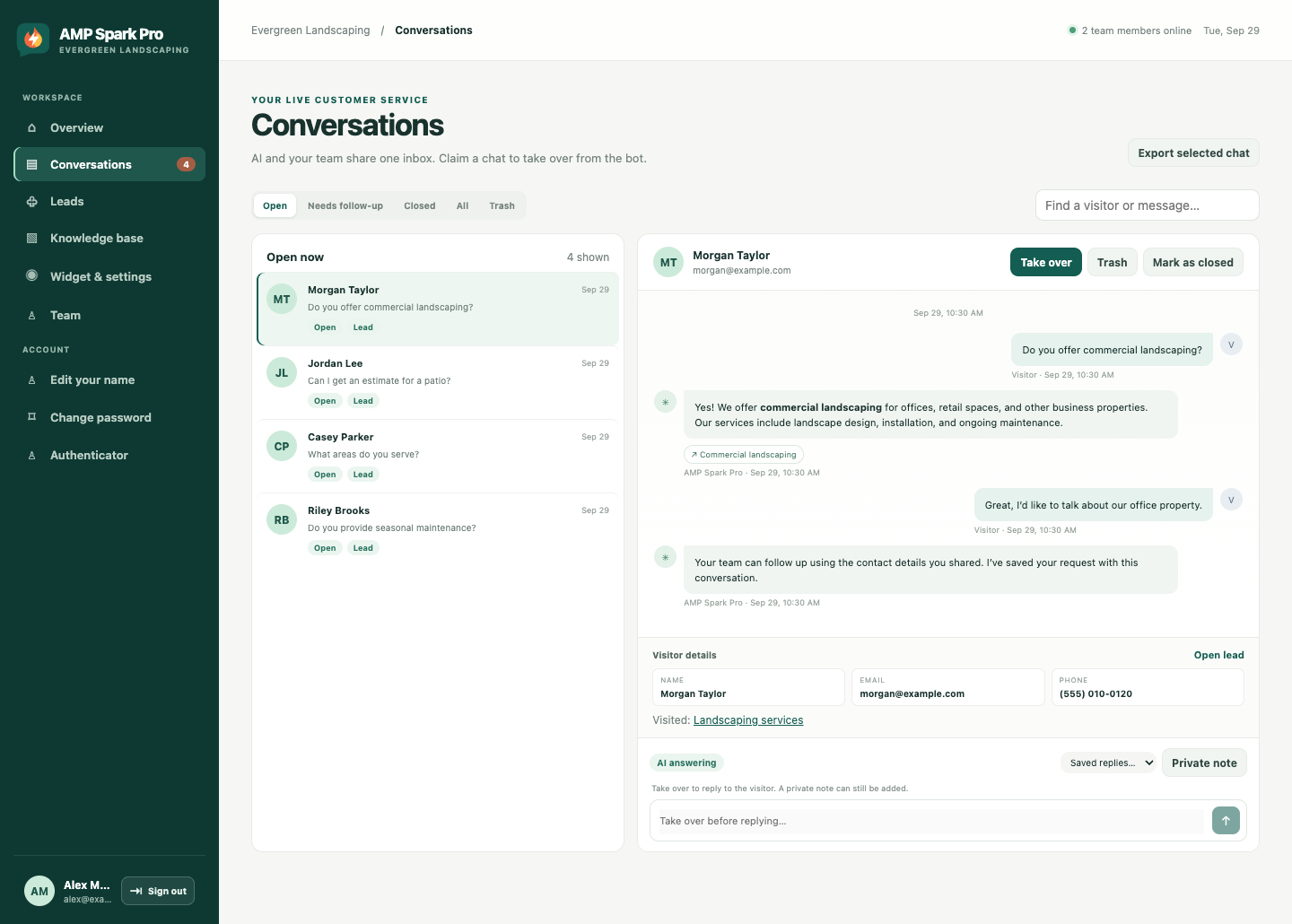
See the full conversation and captured details in one inbox. Your team can claim a chat and respond directly, add private notes for coworkers, and use saved replies to make common follow-ups easier.
Mobile friendly, wherever you are
Phones, tablets, laptops, and desktops—AMP Spark Pro adapts to every screen size. Visitors can ask questions and share their details comfortably, whether they’re at a desk or on the go.
Your team’s dashboard is mobile friendly too, so you can review leads and conversations from the screen that works for you.
Evergreen Landscaping
Agent Online
Do you offer commercial landscaping?
10:30 AM
Yes! We offer commercial landscaping for offices, retail spaces, and other business properties. Our services include landscape design, installation, and ongoing maintenance.
Commercial landscaping
I have an office courtyard project. Can someone help?
10:31 AM
Absolutely. Your contact details and this conversation are saved, so our team can follow up with you about your courtyard and what you have in mind.
10:31 AM
The chat team can see messages and contact details shared here.
The details make the difference
Make the widget feel like part of your website. Choose your brand color, welcome text, launcher appearance, and up to four suggested questions. Give visitors a clear starting point without making them search for the right page.
Website imports refresh daily so changed pages can be brought into your knowledge base. Review the text your bot uses, update business details, and pin corrections when a policy, price, or service needs special attention.
See contact details alongside the visitor’s first question and page context. Track each lead from new to contacted, qualified, or closed. Export leads as CSV when you want to work with them in a spreadsheet or another business tool.
The dashboard shows questions the bot could not answer from published knowledge. Spot recurring gaps, handle the request personally, and add an approved explanation so future visitors can get a more useful answer.
Give teammates individual logins rather than sharing an account. Agents can work with conversations and leads, while administrators manage knowledge, settings, and the team. Each account can enable optional authenticator sign-in.
Choose the websites where your widget is allowed, hide it on selected page paths, and configure your business hours. Keep the chat experience focused on the places where visitors need help.
Visitor questions are checked before they reach the AI, and generated replies are checked before visitors see them. If a moderation check can’t be completed, automated answering pauses and the conversation is left for your team to follow up.
Keep helpful context with the conversation. Private notes let teammates share information without showing it to the visitor. Saved replies give your team a starting point for common questions, ready to personalize before sending.
Give visitors a way to learn more. Answers can link to the approved website pages used as sources, so people can explore the details behind a reply. Source links are limited to websites you approve.
Useful in the real world
The same tools can support different kinds of businesses. Start with the questions your customers actually ask.
Local service businesses
Answer from your published service areas and offerings. Your team receives the visitor’s details and question, ready for a conversation about the job.
Professional services
Explain your services and how to get started using information you approve. Bring a person into the chat when a request needs more context or judgment.
Shops and customer-facing teams
Help visitors find your hours, location, and published policies. Give your team a clear record when the question calls for a personal follow-up.
Clear answers, right here
Get to know the spark behind better website conversations.
It uses published business knowledge: your website pages, uploaded documents, and information your team adds or corrects. Answers link to approved sources when available.
Questions outside the published knowledge are left for your team to follow up. Your dashboard also shows unanswered questions so you can fill gaps in the chatbot’s knowledge.
Yes. Your team can claim a conversation in the dashboard and reply directly. Private notes and saved replies help keep the handoff organized.
Put your website to work
Give visitors an answer. Give your business a way to follow up.